Memory Leak in Python Multiprocessing.Pool
 KK included in Programming
There is a historical memory leak problem in our Django app and I fixed it recently. As time goes by, the memory usage of app keeps growing and so does the CPU usage.
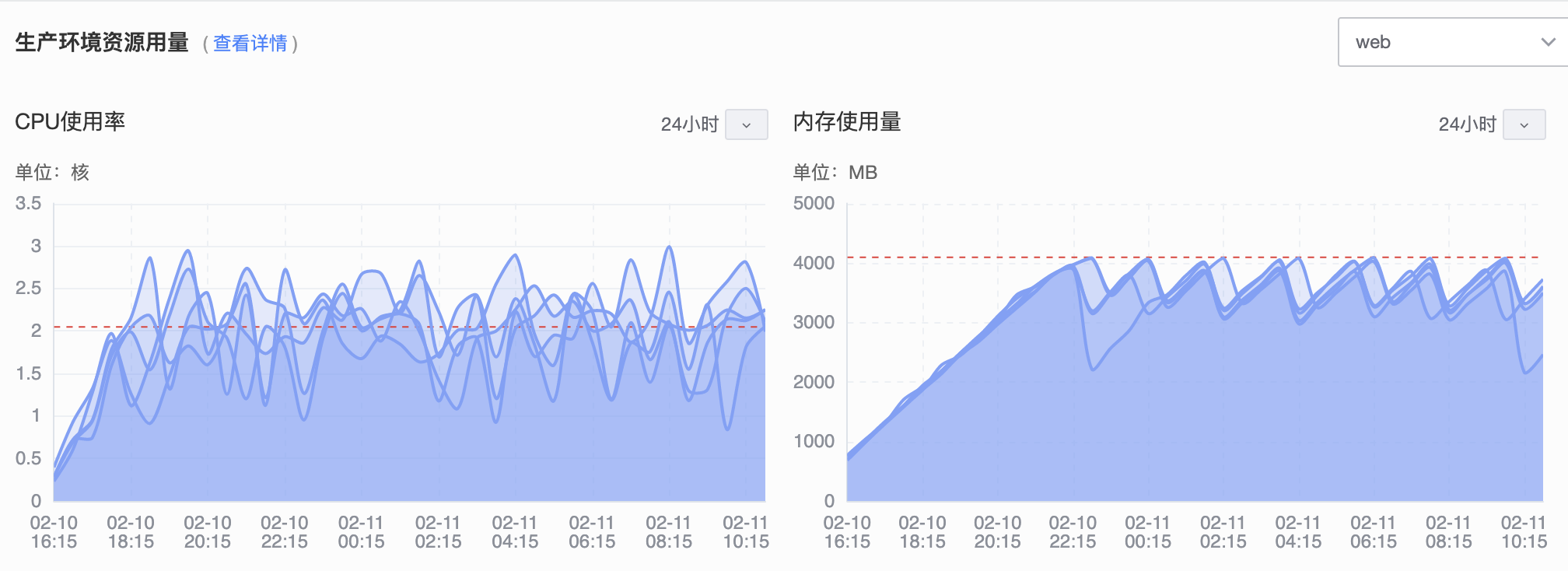
After some research, I figure out the cause. Some views does not close multiprocessing.Pool after using it. The problem disappears when I use Pool with with statement.
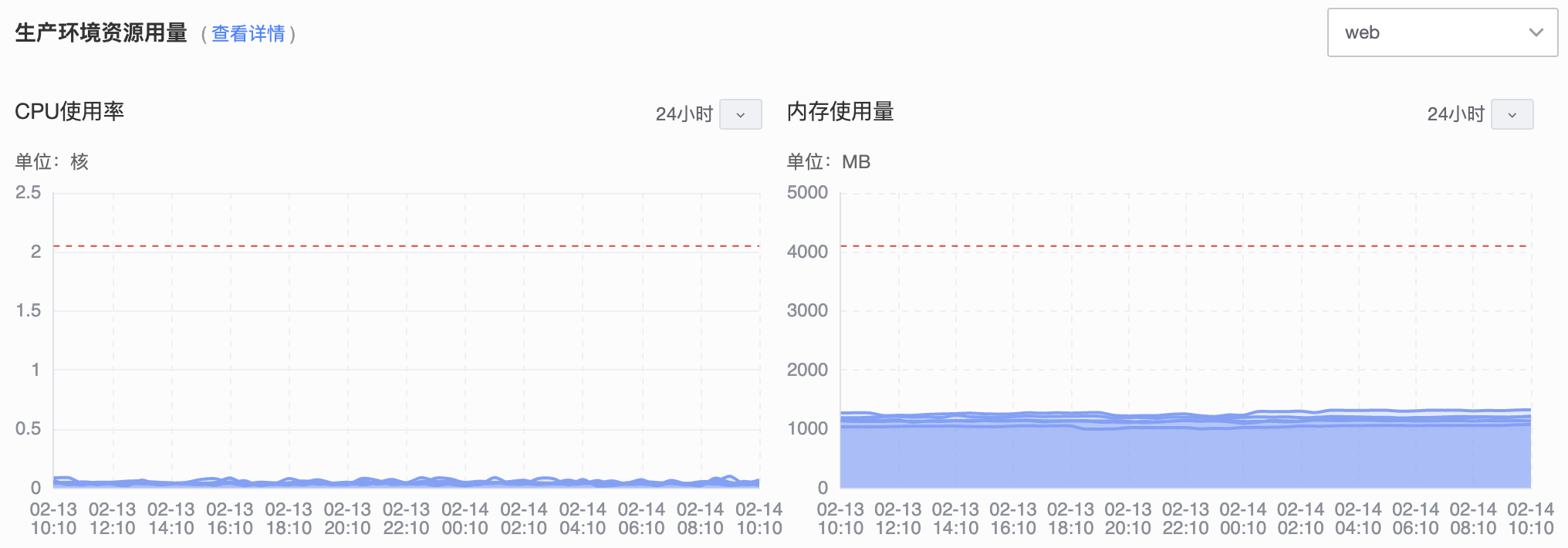
But I’m still interested in it and wrote some testing code. The script is run in Python 3.6.8 and produce similar result when using multiprocessing.ThreadPool.
| |
As you can see, there are four functions. The ori function is Pool with no close and terminate, the RAM keeps growing and the script stuck. with_close, with_terminate and with_with will exit normally but time is different.
Why close() is faster than terminate()
Pool.terminate() will call terminate() in each worker. Pool.close() just change the pool states and each worker will terminate itself. You can find the source code on GitHub.
Verify Memory Leak
| |
If not calling close or terminate, after execution, p is still referred by some objects:
| |
After calling close() or terminate(), the last two lines become:
| |
Document Update
The Python3.7 document adds this warning:
multiprocessing.poolobjects have internal resources that need to be properly managed (like any other resource) by using the pool as a context manager or by callingclose()andterminate()manually. Failure to do this can lead to the process hanging on finalization. Note that is not correct to rely on the garbage collector to destroy the pool as CPython does not assure that the finalizer of the pool will be called (seeobject.__del__()for more information).
The Bug is Fixed in Python 3.8
In python 3.8.6, the script exits normally and the total execution time also decreases without calling close(). I found this issue is fixed in Python bug tracker: multiprocessing.Pool and ThreadPool leak resources after being deleted.